

Common Wireless Signal Interference Issues in Meeting Rooms
Nowadays, corporate meeting rooms, government auditoriums, lecture halls and multi-functional ex
ibition spaces are packed with various wireless devices, including 5G Wi-Fi routers, Bluetooth speakers, walkie-talkies and large screen control systems. These devices occupy public frequency bands and trigger RF interference to wireless conference microphones, resulting in recurring problems as below:
1. Audio cutouts, static noise and signal delay during meetings;
2. Unstable wireless transmission when multiple meeting rooms run video conferences simultaneously;
3. Weak signal penetration through walls leading to frequent disconnections;
4. Sudden frequency conflicts that disrupt ongoing meetings.
Most traditional wireless conference devices only adopt fixed frequency bands without flexible tuning functions. Once interference occurs, technicians have to replace equipment or rearrange layouts on-site, which increases labor costs and delays meeting schedules.
To tackle these common troubles, AIMICIOT provides two practical solutions: switch wireless channels and manually customize frequencies. Both operations can be completed entirely on PC software to eliminate frequency conflicts quickly.
Two Tuning Methods to Rapidly Eliminate Signal Interference
AIMICIOT’s MIC-IoT wireless conference products adopt exclusive UHF 400–900MHz frequency bands, isolated from mainstream Wi-Fi and Bluetooth spectrums. When signal interference happens, you can apply the two tuning solutions below to restore smooth audio transmission.
2.1 Quick Channel Switch: One-Click Automatic Frequency Hopping
Suitable for sudden interference, temporary meetings and rapid venue setup, this function is easy to operate even for beginners:
l Automatically pair microphones and receivers to clean, interference-free frequency bands;
l No power-off required, re-pairing completes within 3 seconds.
This function enables instant troubleshooting for unexpected signal anomalies during meetings, requiring no professional RF knowledge.
2.2 Manual Custom Frequency Tuning for Precise Interference Avoidance
For multi-room networking or venues with permanent fixed interference sources, manual custom frequency tuning is available:
l Input accurate frequency values to bypass bands occupied by surrounding wireless equipment;
l Assign independent frequencies to batches of microphones to prevent cross-talk between devices;
l Save custom frequency templates for repeated use in identical venues and branch offices.
This method effectively solves long-term spectrum congestion in government campuses, comprehensive office buildings and large convention centers.
Single-End Operation: Professional PC Management Software
We optimized the operation workflow to skip physical button tuning on device bodies; all frequency tuning functions can be realized via visual PC management software.
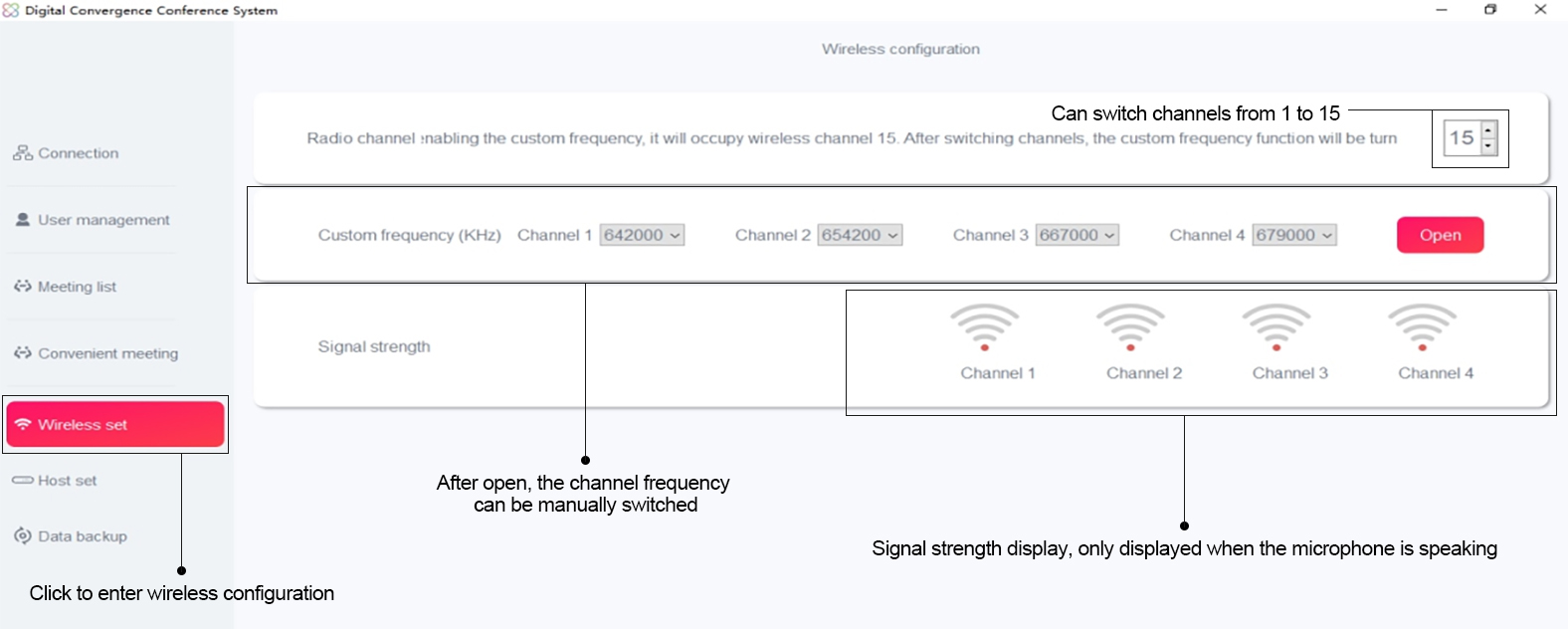
Tailored for system integrators, AV engineers and central control administrators:
· Visual spectrum display to monitor real-time interference signal strength;
· Support batch editing, copying and storage of multiple frequency schemes for multi-room linkage systems;
· Connect to conference hosts via network cable or Bluetooth;
· Compatible with Windows & Mac OS; export configuration files with one click for convenient project handover.
Simple Operation Steps
1. Connect the conference receiver to a computer via data cable or network cable;
2. Enter the frequency tuning module and scan interfering channels;
3. Select automatic channel switching or input custom frequency values manually;
4. Save configurations and synchronize parameters to all wireless microphones.
AIMICIOT Wireless Microphone Series
All the above channel switching and custom frequency tuning functions are compatible with our complete wireless microphone system, covering corporate meetings, auditoriums, roadshows and multi-room linkage events.
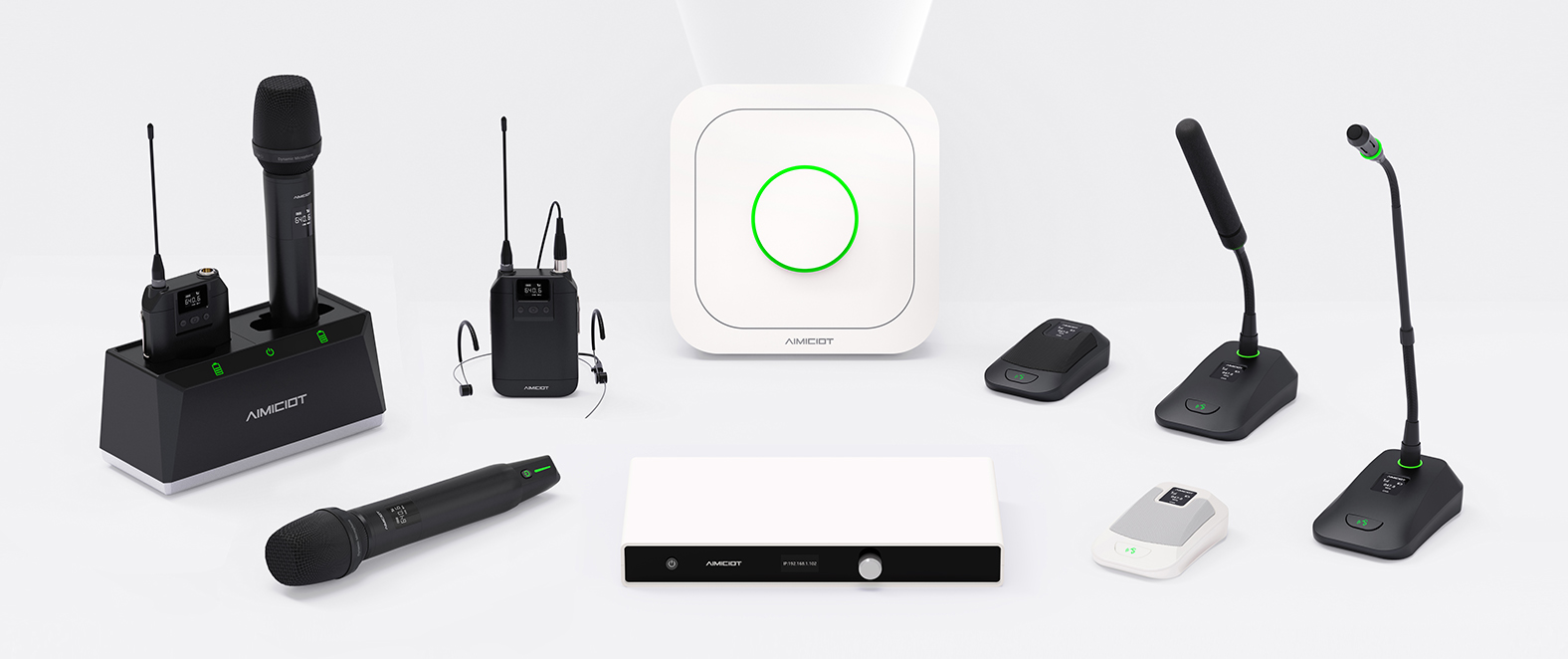
The complete wireless microphone system features comprehensive product categories, including conference main units, desktop microphones, portable microphones and supporting charging equipment. All devices support frequency tuning via PC software. When facing various wireless signal interference, users can quickly adjust channels or customize frequencies to effectively avoid static noise, audio dropouts and other failures.
Equipped with exclusive UHF frequency bands, self-developed pickup technology and triple noise reduction algorithms, the system forms dual protection against external RF interference and ambient noise together with frequency tuning functions, delivering stable signal transmission and clear sound pickup. Featuring flexible deployment and simple operation, the system runs reliably for large-scale multi-room summits, daily small-to-medium corporate meetings and temporary training roadshows.
Core Advantages of PC Frequency Tuning Operation
1. Centralized PC control: Complete all frequency tuning tasks on computer software without physical operation on device hardware;
2. Full custom frequency support: Beyond preset channels, arbitrary frequency values can be manually input to adapt to complex electromagnetic environments;
3. Exclusive UHF frequency bands: Independent 400–900MHz spectrum avoids 2.4G/5G Wi-Fi interference, delivering stable wall-penetrating signal with up to 100-meter coverage;
4. Mature proprietary technology: 18 years of industry R&D experience, over 50 core patents for wireless audio transmission, distortion-free and uninterrupted audio during frequency hopping and tuning;
5. Complete after-sales guidance: Our technical team provides remote guidance for frequency tuning via PC software.
Real Project Case
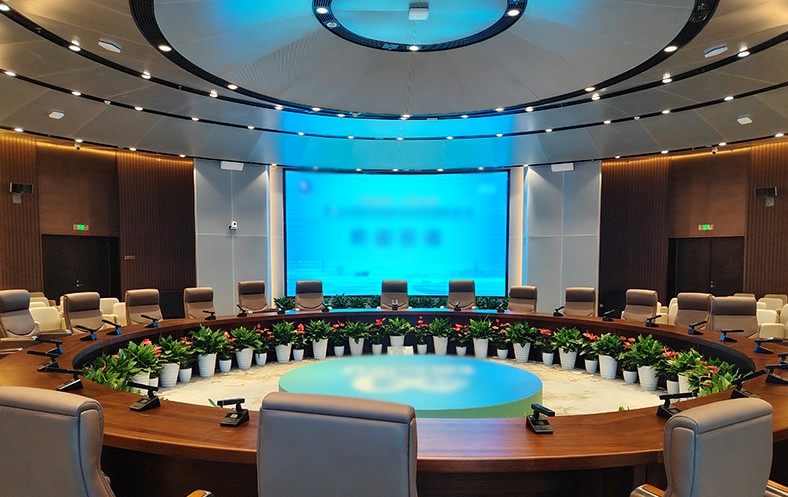
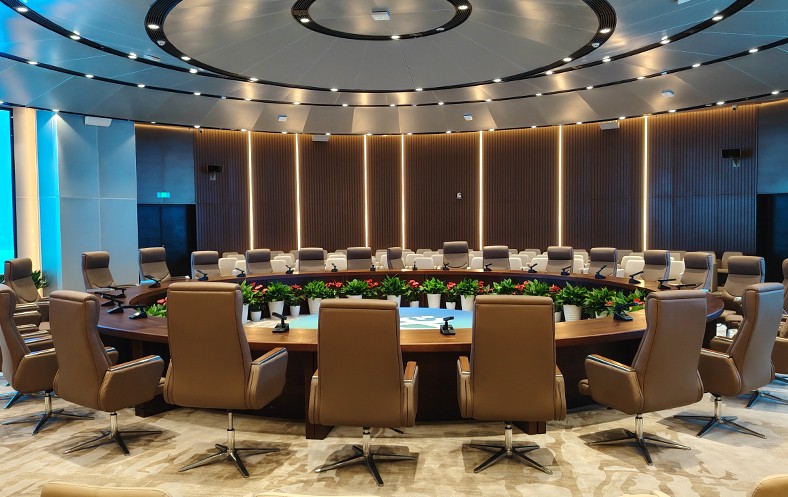
A high-level summit was held in a government auditorium. Massive 4K video conference devices running on adjacent office floors crowded public frequency bands, causing constant audio cutouts on the original microphones.
On-site technicians adopted AIMICIOT wireless conference systems and resolved interference via the following steps:
l Scan interfered channels through PC management software;
l Create exclusive custom frequency groups to evade Wi-Fi frequency bands;
l Synchronize parameters in batches via PC software to finish multi-room networking configuration.
Throughout the three-day summit, audio remained consistent, static-free and uninterrupted with stable wall-penetrating signal transmission. The PC-based frequency tuning solution won high recognition from the client.
Closing & Inquiry
Wireless signal interference no longer needs to disrupt your critical meetings. With channel switching and custom frequency tuning functions operated through PC software, interference issues can be resolved efficiently to guarantee smooth conferences.
For product customization, project quotations or demo trials of frequency tuning software, feel free to contact our sales team.